Programmers

The Programmers dialog provides a method to search for and select the programmers to be used within Inspire. Multiple wired programmers of the same type (e.g., SpeedPort 2) can be selected, however, only one SurfLink Programmer can be selected if more than one is attached to the PC. All hearing aids connected to any programmer selected automatically displays on the Get Started screen.

  1. Click Tools from the Menu Bar.

  2. Click Programmers to identify all attached programming devices.

    Tip:  Click , , , , , , No wired programmer is connected, No programmer is connected, Wired programmer is connected, No wireless programmer is connected, No wireless programmer is connected, or Wireless programmer is connected to access.
     
    Note:  All detected wired and wireless programming devices display. The SpeedPort 2, SpeedPort, NOAHlink, USB Hi-Pro 2, USB Hi-Pro, Hi-Pro, and SurfLink™ programming devices are supported.
  3. Click the checkbox to the left of the desired wired and/or wireless programmers.
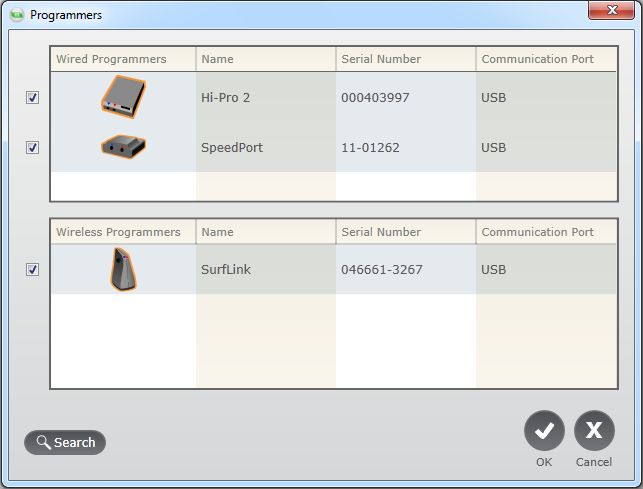
Programmers

Tip:  If the desired programmer is not on the list, click Search to display all programmers.
  1. Click OK.

    Tip:  Click Cancel to discard the changes.
     
    Note:  These steps must be completed in order for the connection status icon to be active.