Connection Status

In the lower right hand corner of any Inspire screen except Get Started, connection status icons for the hearing aids and programmer displays and as the hearing aids are programmed, the connection status icons change to reflect their current state. Details regarding either the hearing aid or programmer displays in a tool tip by pointing to any connection status icon.

Programmer Connection Status Icon Description


No wired programmer is connected


Indicates that no wired programmer is currently being used in a fitting.


No wireless programmer is connected


Indicates that no wireless programmer is currently being used in a fitting.


No programmer is connected


Indicates that the selected wired programmer is not currently detected.


No wireless programmer is connected


Indicates that the selected wireless programmer is not currently detected.


Wired programmer is connected


Indicates that a wired programmer is currently being used in a fitting.


Wireless programmer is connected


Indicates that a wireless programmer is currently being used in a fitting.

Hearing Aid Connection Status Icon

Description


No right instrument is connectedNo left instrument is connected


Indicates that no hearing aid is currently being used in a fitting or is detected.


Right instrument is connectedLeft instrument is connected


Indicates that a wired hearing aid is currently detected and ready to be used in a fitting.


Right instrument is being fittedLeft instrument is being fitted


Indicates that a hearing aid is currently being used in a fitting.


Right instrument is being programmed or read Left instrument is being programmed or read


Indicates that a hearing aid is currently being programmed, read, or Speech Mapping is active. The background of the icon appears to be moving.

Tool Tip

Description
 

Programmer information


The programmer and serial number of the currently connected programmer displays in a tool tip by pointing to the connection status icon.
 

Hearing aid information


The product, receiver matrix, serial number, and firmware version of the currently connected hearing aid displays in a tool tip by pointing to the connection status icon.
 

Watermarks

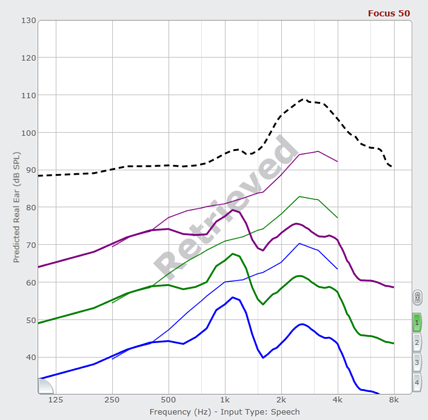
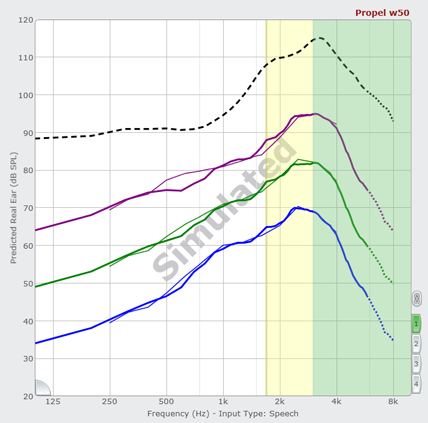
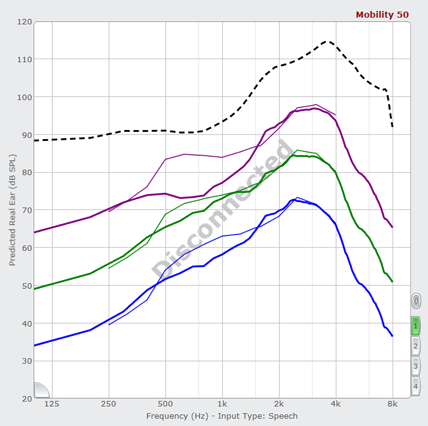
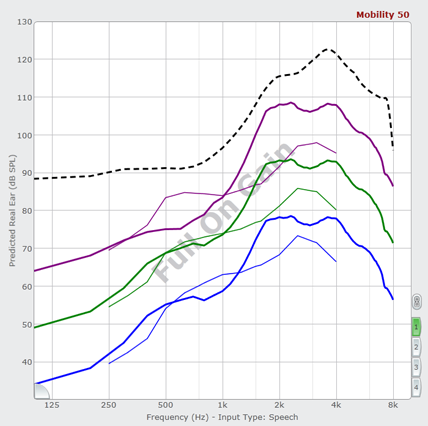
Inspire also uses a series of watermarks to indicate connection or hearing aid. The watermarks appear across the frequency response curves. There are four main watermarks: Disconnected, Full on Gain, Retrieved, and Simulated. Additional watermarks display and are noted in the feature's instructions where applicable.

Watermark Description


Disconnected Watermark


Disconnected Watermark

Indicates that the hearing aid or programmer used within the current session has disconnected.


Full On Gain Watermark


Full On Gain Watermark

Indicates the hearing aid connected or disconnected is currently set with full on gain settings.


Retrieved Watermark


Retrieved Watermark

Indicates that the currently displayed responses have been retrieved from the database but the hearing aid is not connected.


Simulated Watermark


Simulated Watermark

Indicates a hearing aid is being simulated.