 to program the hearing aid to manufacturing specifications settings. Once selected, a warning will appear reminding the user to remove the hearing aid from the patient’s ear. The hearing aid is not set to full on gain until OK
  is selected.
Hearing Aid Test provides three abilities:
Set the hearing aid to a full-on condition for measuring manufacturing specifications in a test box.
Set the hearing aid to a user gain setting with all adaptive features turned off in order to test individual adaptive features.
Set the hearing aid to reference test gain with all of the adaptive features turned off.
Click Full On Gain to program the hearing aid to manufacturing specifications settings. Once selected, a warning will appear reminding the user to remove the hearing aid from the patient’s ear. The hearing aid is not set to full on gain until OK is selected.

Click User Gain  to program the hearing aid to the normal usage hearing aid response with all adaptive features turned off. Once selected, probe microphone measurements can be completed without the influence of the adaptive features. Additionally, each adaptive feature can be tested individually by changing the particular adaptive feature’s setting via buttons on the screen.
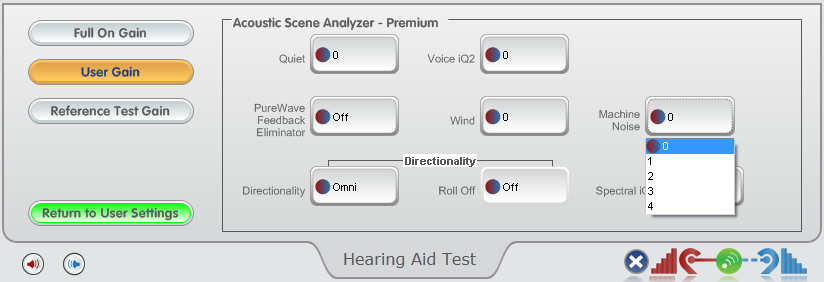
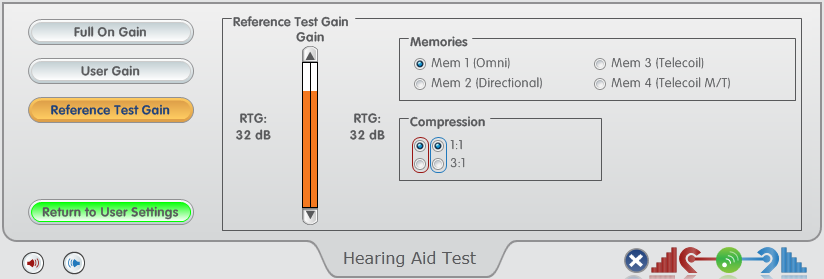
Click Reference Test Gain  to program the hearing aid to the reference test gain position with all adaptive features turned off. Once selected, a warning will appear reminding the user to remove the hearing aid from the patient’s ear. The hearing aid is not set to full on gain until OK is selected.

A window will be displayed which allows adjustment from maximum to minimum compression ratio and ability to test the telecoil, if applicable.
Click Return to User Settings  to program the hearing back to the previous settings before exiting the screen. If the screen is exited without clicking the button, a dialog will appear informing that the hearing aid will automatically be returned to user settings.

Hearing aid can be disconnected if necessary to reach a test box after clicking Full On Gain , User Gain or Reference Test Gain .