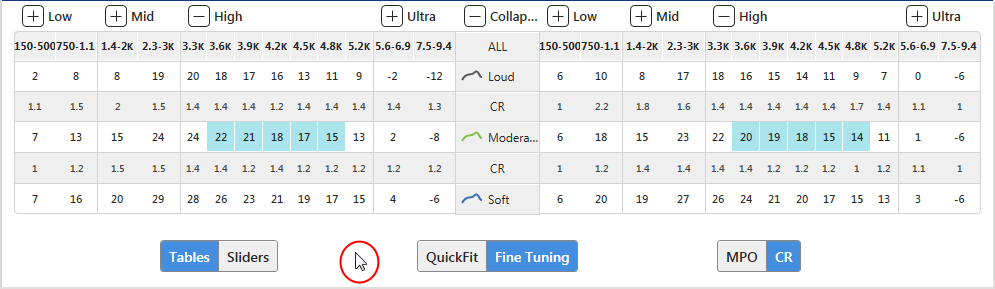
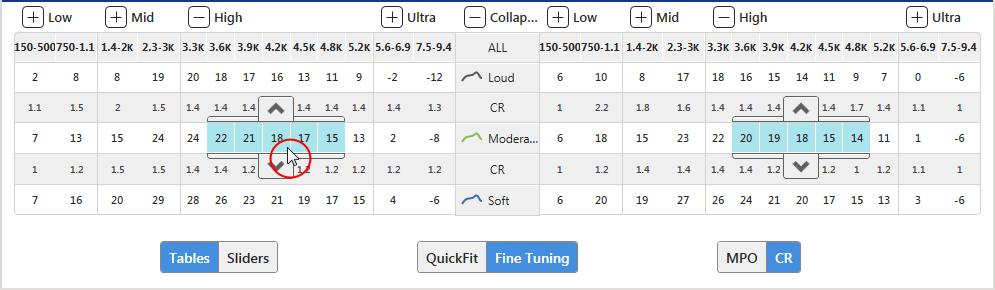
Inspire 2016.2 introduces a new power BTE 13 with a rocker switch, provides
a solution to the adjustment arrow keys covering some values inside
the Fine Tuning table, reskins the Audiometer and Hearing Aid Test screens,
combines the print and print preview options, and redesigns the Preferences
Menu. A complete listing of the changes is referenced below.
When configuring Pride products with a rocker switch, Volume, Memory,
Tinnitus, and Balance can be controlled via Short
Press and/or Push & Hold
and Mute can be controlled via Push
& Hold. If a user control (e.g., Volume, Memory, etc.)
is assigned to an ear side function (Short Press or Push & Hold),
both the top and bottom buttons are automatically assigned to the
function. For example, if Volume is assigned to Short Press on the
right ear side, the top button will increase the volume and the bottom
button will decrease the volume.
For Pride CROS/BiCROS products with a push button, Balance
can now be controlled via Short
Press and/or Push & Hold.
Also, if 'Binaural Balance' was configured previously for a patient,
the control always raised the right side and lowered the left side,
regardless of the side selected. Now, 'Binaural Balance' raises the
side selected and lowers the opposite side, therefore, if this new
control is desired for existing CROS/BiCROS patients, remove 'Binaural
Balance' and then reassign it.
As a result of the Fitting Summary Report and
the Fitting Report containing similar information, the Fitting Summary
Report has been removed from Inspire. When clicking Print
via Fitting Summary, the now prints.
If fitting comments were entered via ,
the option to Include Fitting Comments
is now available when printing the Fitting Report.
T2 Remote Control has been moved from the Status
section on the Fitting Report to the User Controls section. If T2
Remote Control was enabled via User Controls, a checkmark prints.
The "Patient Controls Guide" has been
renamed "Device Guide" and is only available for Honor,
Pride, Halo, Z Series,
3 Series, Pride IIC, Xino
Wireless, and Xino Tinnitus
products. The report has also been redesigned to accommodate more
information including product and accessory images.
The Inspire Version and Date Printed have been
removed from all reports.
The Print Preview option via the File Menu
has been moved to the Print option, therefore, when selecting Print
from anywhere within Inspire, the option to select Print Preview is
now available. In addition, a sample image of each report is now shown
to ensure the correct report is selected for printing or previewing.
| General Preferences |
| Sub-Category
Heading |
Field Name |
| Country
and Language Information |
- Target
Audience
- Locale
- Voice
Language
- Inspire
Mode
|
| Graph
Display |
- Default
Graphical View
- Display
Thresholds and UCLs
- Display
Shading on SPL Graph
- Display
Max Output Line on all SPL Graphs
|
| User
Controls |
- Display
Left Raise/Right Lower Option
- Display
Down/Up Option
- Display
Sprinkler Increase Option
|
| Automatic
Functions |
- Launch
Auto Path on Initial Read
- Automatically
Mute Devices When Detected
|
| Hearing
Aid Lock Code Key |
- Hearing
Aid Lock Code Key Entry
|
Target
Preferences |
| Target
Levels |
- Soft/Moderate/Loud
- Target
Input Stimulus
- Binaural
Correction
- Air-bone
Gap Correction
|
| Fitting
Formulas |
- Non-Linear
- Linear
- Select Default Formula
|
| Best
Fit Options |
- Perform
on fitting formula change
- Include
Maximum Output
|
| Experience
Level |
- Apply
default at Best Fit and Target Match
- Experience
Level
- Show
Auto Experience Manager final settings when the feature is
enabled
|
| Volume
Control |
- Modify
Reserve Gain Without Prompting
- Default
Digital Volume Control Range
|
Information
Preferences |
| Inspire
Information |
- Track
Usage Data
- Allow
Inspire Updater to keep Inspire up to date
|
| Account
Information |
- Bill
To Account #
- Ship
To Account #
|
Audio
Files Preferences |
| Category/Audio
File |
|
Reports
Preferences |
| Report
Header |
- Patient
Name
- Session
Date
- Patient
Date of Birth
- Manufacturer
Logo/Personal Logo/Text
|
| Tips
for Success (Device Guide) |
- Tips
1-8 (up to eight tips can print on the report; Tips 1-5 defaulted
to print; all tips can be modified)
|
Wireless
Preferences |
| Patient
ID |
- Show
Patient Name for Wireless Devices
|
| Wireless
Profile |
|
| Ignore
Serial Numbers During Discovery |
- Hearing
Aid Serial Number Entry
|